
IPTV Sports Viewing in Ireland: Check the Event Before You Commit
For IPTV sports viewing in Ireland, start with the exact event you want to watch: competition, teams, date and intended device. Confirm that event’s current availability before choosing a subscription. A sports category, a large channel total or a football image does not establish that a particular match is included, licensed for your location or available in the picture quality you expect.
This guide helps you prepare a precise enquiry and a sensible match-day setup. It combines an event card, an overlapping-screen worksheet and a troubleshooting sequence. It also explains how to ask about Irish local television, football, rugby, GAA and pay-per-view events without treating broad advertising labels as a verified schedule.
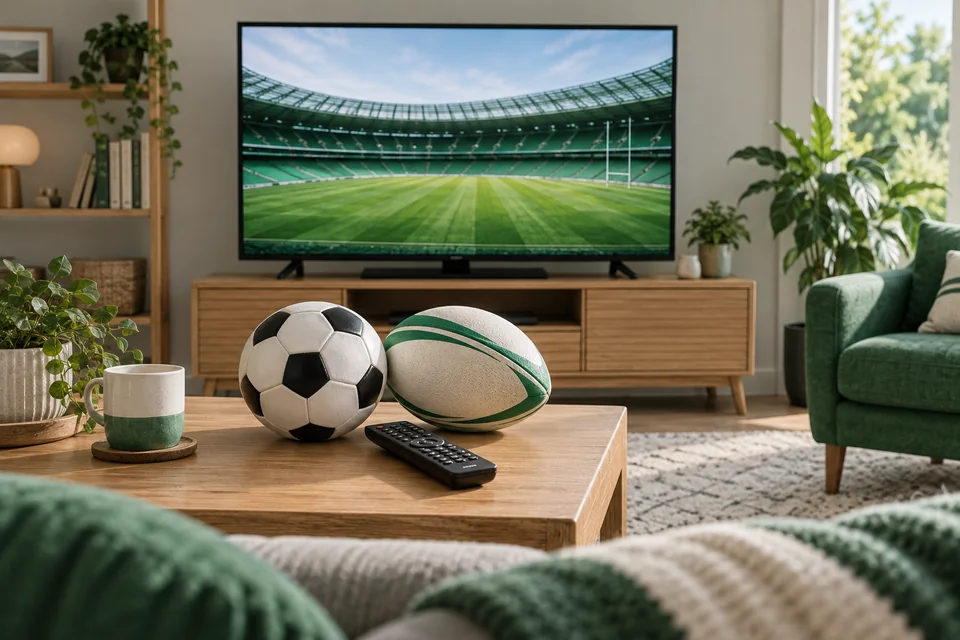
Build an event card
Write the event’s full name and the competition or tournament. Team names alone can be ambiguous when a club has several squads or two sides meet more than once. Add the date, the scheduled start time and the time zone shown by the source. Recheck closer to the event rather than relying on an old screenshot saved weeks earlier.
Use the organiser’s information for scheduling. The GAA fixtures and results page, Irish Rugby fixtures and results and UEFA match calendar are examples of primary scheduling sources. A fixture listing confirms information about the event; it does not confirm availability through Buy IPTV Irish or any other subscription.
Then add the viewing details that matter to you: live coverage or a replay, preferred commentary language, subtitles if required, and the screen you expect to use. If pre-match coverage matters, say so. Asking only whether “the football” is available leaves too many details unresolved for a useful answer.
| Event-card field | What to write |
|---|---|
| Event | Competition, teams or participants, and date |
| Schedule | Start time, source and displayed time zone |
| Viewing need | Live or replay, commentary and accessibility needs |
| Equipment | Device model, player and network connection |
| Confirmation | What support confirmed and when |
Keep the confirmation alongside the question so that a general reply is not accidentally treated as a specific promise. If the answer confirms a competition but not the named fixture, ask the narrower follow-up before making a purchase primarily for that event.
Separate schedule, availability and rights
These are three different questions. The schedule tells you when an event is expected to happen. Availability tells you whether the chosen offer currently supplies the item you intend to open. Rights concern permission to distribute or access that content in the applicable circumstances. A positive answer to one does not establish the other two.
Do not use the technology’s name as a shortcut for those checks. IPTV describes a delivery approach, while the facts about a particular service and event need their own evidence. This guide makes no blanket claim about the rights of every item in a catalogue. Ask the provider for clear information relevant to the content and location you intend to use.
For Irish local channels, specify the channel and programme rather than assuming that “Irish TV” covers every national, regional or language option. If a programme is available live, check replay separately. If you are considering viewing outside Ireland, do not assume the same arrangement applies; establish the relevant account and location conditions first.
Pay-per-view needs an especially exact enquiry. Identify the event and ask whether it is included in the selected offer or subject to a separate arrangement. A generic PPV label is not enough to infer an event, charge, resolution or access time. Do not send a payment merely because an event name appears in a menu.
Plan overlapping matches and household viewing
Count simultaneous streams at the busiest point of the event. A hypothetical household may have one person watching a match in the sitting room, another watching a different event on a laptop and a third viewing a film upstairs. That is a three-stream requirement, even if only two of the programmes are sports.
For a two-connection selection, decide which two streams need to run together. For four or five, identify the real overlap rather than counting every screen in the house. A device that is only used to check a score is different from one playing another video stream. Ask support about multiview or recording features before assuming the player treats them as one connection.
The household connection worksheet helps you separate ordinary overlap from occasional use. It also keeps account conditions distinct from connection counts. An allowance for several streams does not, by itself, establish permission to share credentials across unrelated households or show content publicly.
Prepare before the event begins
Check the equipment you will actually use, in the room where you will watch. Confirm that the television or streaming device opens the intended player, that the remote works and that you can find the relevant programme group. Do not make the first attempt to identify the correct app at the scheduled start time.
Use a currently available item to check ordinary controls: sound output, volume, subtitles where relevant and how to return to the guide. This does not prove that the future event will be available; it simply reduces uncertainty about the local setup. Keep that distinction clear in your notes.
Allow routine device and app updates to finish before evaluating performance. Avoid changing several network or picture settings at once. If you are testing a supported wired connection as an alternative to Wi-Fi, compare the same device and similar playback conditions, then record what changed. The picture-quality guide explains a controlled comparison.
Set your expectations about the screen as well as the stream. Check that the image fits without unintended cropping and that the chosen audio output is the one you want. A soundbar on a different input or a muted television can resemble a playback fault until you check the local controls.
If something goes wrong during viewing
First describe the symptom. Is the player failing to open, the guide missing, the selected item unavailable, the picture pausing or the sound absent? These observations lead to different questions. Reinstalling an app is a broad response to a symptom that may affect only one item.
Check whether other active streams might exceed the confirmed allowance. Close playback cleanly on a device that is no longer needed. Do not repeatedly open more sessions to test the fault; that can make it harder to tell whether a simultaneous-use limit is contributing.
If appropriate, compare one other confirmed item on the same device. If only the event fails, report that specifically. If every item fails, include that broader result. If playback works on another device, state whether it was tested on the same network and whether the original stream had been stopped.
Send a concise report through existing-customer support: event, time, device, player, symptom and the limited checks you performed. Include an order reference privately if available. Remove credentials from screenshots and avoid sharing full playlist addresses. A precise report gives support something reproducible to investigate.
Check replays and highlights separately
Missing a live start does not mean the entire event can automatically be replayed. Ask about the specific replay window and the player feature required. A catch-up symbol beside a channel should not be interpreted as a promise that every past broadcast is available indefinitely.
When searching for a replay, use the event card rather than a vague title. Check the date, participants and whether the item is a full event or a highlights programme. Those are different viewing needs. The catch-up explanation shows how to describe a replay problem without confusing it with missing guide data.
Also be careful with times. A programme guide may show local time, a different configured zone or a listing that needs correction. Record what is displayed and compare it with the event source before applying manual offsets. Around seasonal clock changes, include the date in any support note.
For a weekend with several events, keep one card per fixture and place them in time order. Mark genuine overlaps before choosing the connection count. If a match time changes, update that overlap note as well: a previously sequential pair of events may now require two streams. This is a planning exercise, not a statement that either event is included. Keep availability confirmations separate for each fixture so that one answer is not accidentally carried over to the next.
Frequently asked questions
Does a sports category guarantee my match?
No. Ask about the exact fixture, date and selected offer. A category name is not a verified event schedule or availability confirmation.
Can I rely on a fixture page to confirm streaming access?
No. An organiser’s fixture page is useful for scheduling. Confirm access and applicable rights separately with the provider.
Are football, rugby and GAA checked the same way?
Use the same event-card method, but identify the correct competition and organiser. Avoid treating a broad sport name as a complete enquiry.
Does Premium mean every event is in 4K?
No such blanket guarantee should be assumed. Ask about the specific event and the compatible playback setup, and distinguish source quality from your television’s maximum resolution.
Is PPV automatically included?
Do not assume it is. Obtain confirmation for the named event, selected plan and any separate conditions before paying.
Can I watch two matches on one screen with one connection?
Ask how the chosen multiview feature is counted. One physical display can show more than one active stream, so the screen count alone may be misleading.
Should I test a subscription only during a major match?
Use a broader evaluation where available. Check ordinary setup first and record the limits of any short test; one event cannot establish performance for every future situation.
Keep the final enquiry specific
Before choosing a plan mainly for sport, put your event card beside your device and connection notes. The unresolved questions should be obvious: a named event, an access condition, a replay need or a setup detail. Resolve those questions through official support rather than filling the gaps with assumptions from a promotional image.
Then compare the duration and simultaneous allowance that fit your wider viewing, not only one afternoon. A clear selection is easier to confirm and easier to refer back to if you need help later.